The same advice on internet security has been given to us for years: set a strong password, make it long, avoid using it again, and update it when needed.
The issue is that most of us have too many accounts to keep track of.
The list is always expanding and includes social media, work, education, banking, shopping, social media, email, and streaming services. Additionally, each additional account entails another login to safeguard or another password to remember.
Passkeys are a different option now.
A website requesting you to make one may already be visible to you. You might even have utilized one without being aware of its precise nature.
SEE ALSO: Future of Work 2026: Jobs That Will Survive the AI Revolution
Do passkeys actually work better than passwords?
The short answer is that while passwords are still often used and required as a backup on many platforms, passkeys provide significant security benefits, especially against phishing.
What Is a Password?
To verify that you are the account owner, you use a password, which is a secret string of characters.
For instance, you might set a password for your email account and use it each time you log in.
The issue is that passwords are confidential information that can be:
- Guessed
- Reused
- Stolen
- Shared
- Recorded in phishing websites
- Exposed in data breaches
If you unintentionally type a strong password into a phony login page, it could become an issue.
That is one of the main flaws of conventional passwords.
What Is a Passkey?
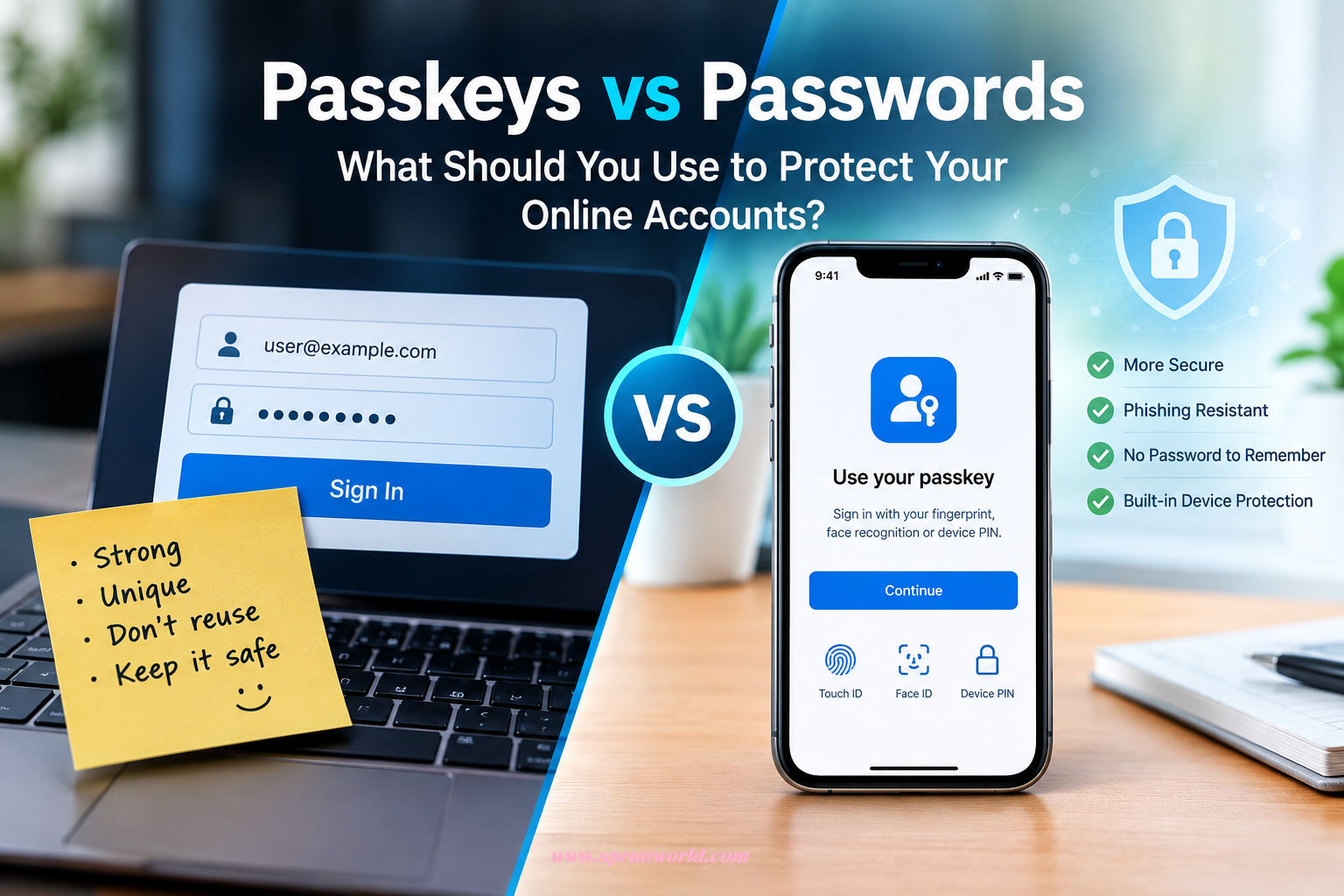
A more recent method of logging in without typing a conventional password is to use a passkey.
Typically, you use an existing feature on your device to authenticate yourself rather than having to memorize a secret word, like:
- Your finger print
- Face recognition
- Your device Pin
- your device screen lock
Passkeys employ public-key cryptography in the background. While the website gets the matching public key, a private key is kept secure on your device. According to Google, because the passkey is linked to the authentic website or application, this design makes passkeys resistant to phishing.
To put it simply, a passkey is a secure digital key that your device assists you in using.
SEE ALSO: How to prevent the devices from listening to you.
Passkeys vs Passwords: What’s the Difference?
The biggest difference is what you have to remember and what an attacker can steal.
| Must remember a secret | Yes | No |
| Can be reused | Yes | Designed to be unique to a service |
| Can be typed into a fake website | Yes | Designed to resist phishing |
| Uses your device to verify you | Sometimes | Yes |
| Can use fingerprint or face unlock | Not directly | Yes |
| Vulnerable to password reuse | Yes | No password reuse |
| Works everywhere | Very widely supported | Growing support |
Not all security threats are eliminated by passkeys, nor are they magical. However, they eliminate the need for the user to provide a website a reusable secret, which is one of the main issues with passwords.
Why Are Passkeys More Resistant to Phishing?
Suppose you get an email that says:
“We’ve locked your account. Log in right now.
When you click the link, you are taken to a website that resembles the actual login page nearly exactly.
You might enter your username and password into the phony website if you use a traditional password.
Your credentials are now in the hands of the attacker.
A passkey functions in a different way.
The authentic website or app is linked to the passkey. It’s more than just a password that you may copy and enter elsewhere. According to Google, because passkeys are tied to the identity of the website or app, they are made to be resistant against phishing.
SEE ALSO: Why Your Phone Battery Drains Fast (10 Simple Fixes)
Are Passwords Still Safe?
Even so, a strong, one-of-a-kind password is still far superior to choosing anything obvious, like your birthdate or the term “password.”
Passwords are still required even if a website does not support them.
Adhere to the fundamentals in that case:
- Make sure each key account has its own password.
- Make it challenging to guess passwords.
- Never send passwords by email or SMS.
- Passwords should not be entered after clicking dubious links.
- If you have many accounts, make use of a reliable password manager.
- When available, activate two-factor authentication.
Passwords should not be a source of anxiety.
The password should no longer be your main line of defense.
What Happens If You Lose Your Phone?
One of the most common queries regarding passkeys is this one.
What would happen if you misplaced your phone?
It relies on the recovery techniques offered by the service as well as how the specific passkey is synchronized and saved.
For instance, passkeys for Google Accounts can be generated on compatible computers, phones, and security keys. Additionally, Google offers account controls for examining and deleting device-related passkeys.
Account recovery is important because of this.
Make sure you have access to the recovery techniques offered by the service before depending too much on passkeys.
Additionally, avoid creating a passkey on a public or shared device. Passkeys should only be created on devices that you directly own and use, according to Google.
SEE ALSO: Beginner’s Guide to Using AI Safely and Effectively
Should You Stop Using Passwords Completely?
Not often.
You don’t have to change all of your passwords every morning.
Starting to use passkeys wherever they are supported and convenient for you is a more sensible strategy.
Continue using strong, one-of-a-kind passwords and other security measures like two-step verification for accounts that do not allow passkeys.
Passwordless sign-in may eventually be supported by more services.
How to Start Using Passkeys
If a service provides passkeys, the option is typically located in the security or sign-in settings of your account.
Passkeys for a Google Account can be managed using the sign-in settings. Modern Android, iOS, Windows, macOS, and ChromeOS devices are supported, as are browsers that work with them.
In general, the procedure is straightforward:
Step 1: Access the security settings for your account.
Look for a section like Passkeys, Security, or Sign-in.
Step 2: Select the passkey option
Each service has a different phrase.
Step 3: Check your gadget
Your fingerprint, face recognition, PIN, or screen lock may be required.
Step 4: Finish the configuration
You can use the passkey the next time you log in once it has been generated.
Always stick to the most recent instructions provided by the service, as the precise procedures differ from one website to another.
What About Two-Factor Authentication?
Passkeys do not negate the importance of account security.
For many accounts, two-step verification is still a crucial security feature.
For instance, Google still suggests 2-Step Verification as an extra account security precaution.
Knowing what a certain service performs when you log in with a passkey is crucial.
While some services employ passkeys as part of their larger authentication scheme, others may treat them as the main way to log in.
Are Passkeys the Future?
Passkeys are starting to play an increasingly important part in the shift away from standard password-based authentication.
While Microsoft declared that passkeys would be the default phishing-resistant authentication technique in Microsoft Entra ID starting with its September 2026 launch, Google has supported passkeys throughout its account ecosystem.
Passwords won’t vanish overnight, though.
Millions of accounts and websites continue to depend on them.
However, the trend is evident: the tech sector is searching more and more for methods to make it simpler for users to log in and more difficult for hackers to do the same.
SEE ALSO: How to Safely Clear the Cache on Any Device
What Should You Use: Passkeys or Passwords?
Passkeys are worth taking into mind if a reliable service provides them, particularly for significant accounts.
Use strong, one-of-a-kind passwords for services that don’t support them, and turn on extra security measures when they are available.
It’s not necessary to use a single technology for everything.
Consider it like this:
Passkeys solve some of the issues that make passwords challenging to secure, but passwords are still useful.
Final Thoughts
Resetting a stolen account is not something anyone wants to do in the evening.
Passwords have, regrettably, always put a great deal of responsibility on the user. You must make them, keep them in mind, safeguard them, refrain from reusing them, and spot when a website is attempting to steal them.
That experience is altered by passkeys.
They employ cryptographic technology and your trusted device to confirm that you are who you say you are, rather than having you memorize yet another complex string of characters.
Passwords won’t disappear overnight, and they aren’t the ideal option for every account.
However, rather than ignoring the opportunity to establish a passkey as just another perplexing security feature, it’s worthwhile to learn what it accomplishes if you encounter it on a significant account.
The future of logging in may involve remembering fewer passwords—and letting your devices do more of the work.